✓
Focused daily habits
Create the habits that matter, then complete them with a single, satisfying tap.
Turn your intentions into a daily practice. Monk Mode gives your habits, focus, and progress a place to grow.
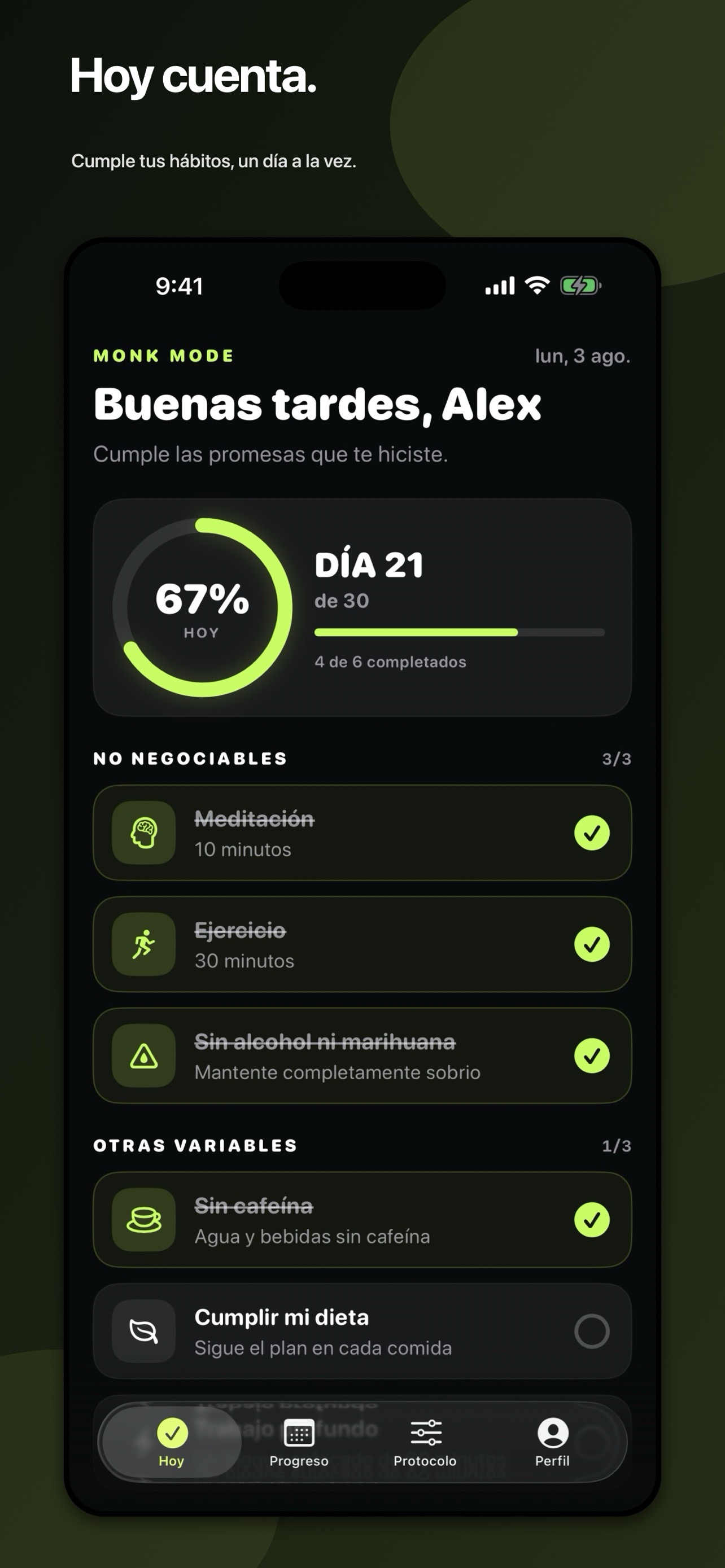
Monk Mode keeps the experience intentional: your habits today, your progress over time, and a rhythm you can make your own.
Create the habits that matter, then complete them with a single, satisfying tap.
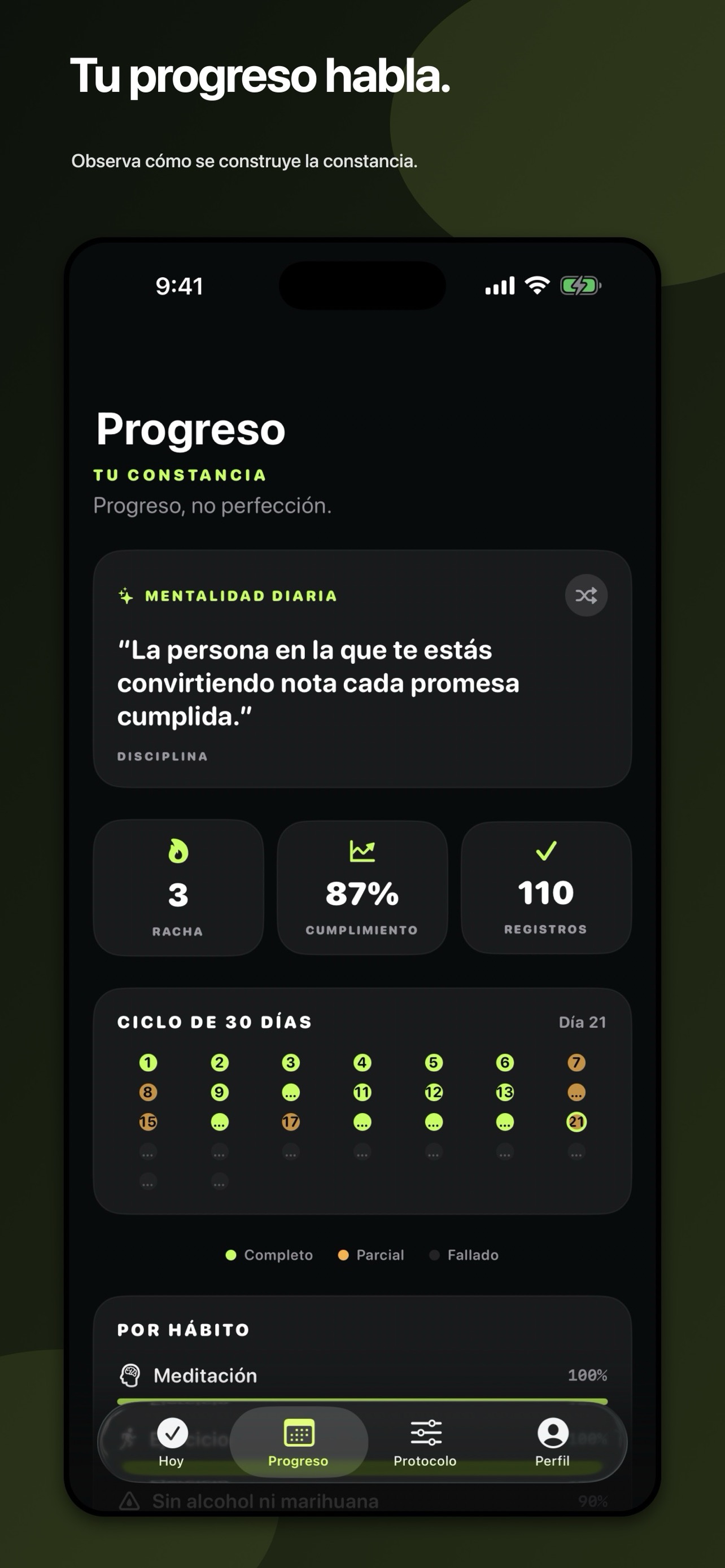
A contribution-style grid turns the small wins into a journey you can see.
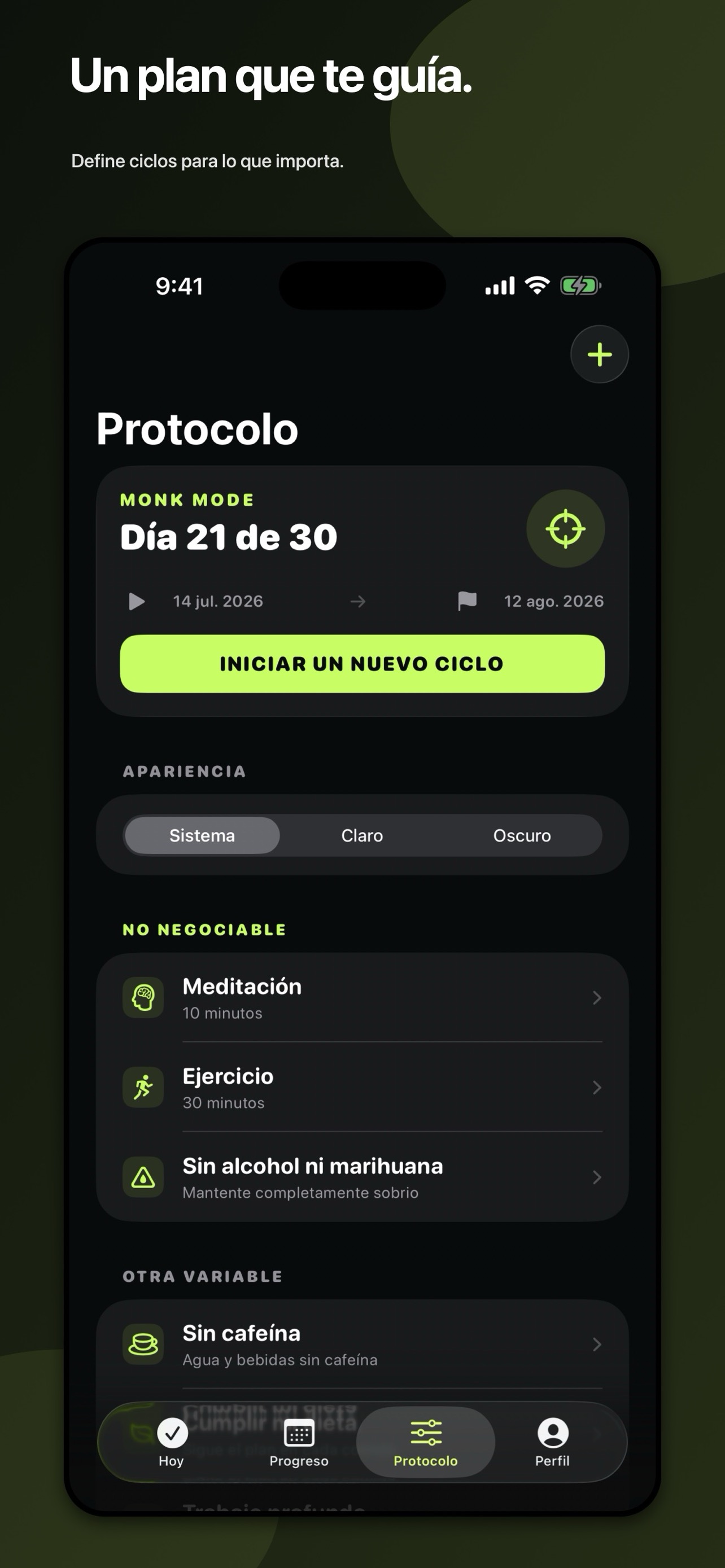
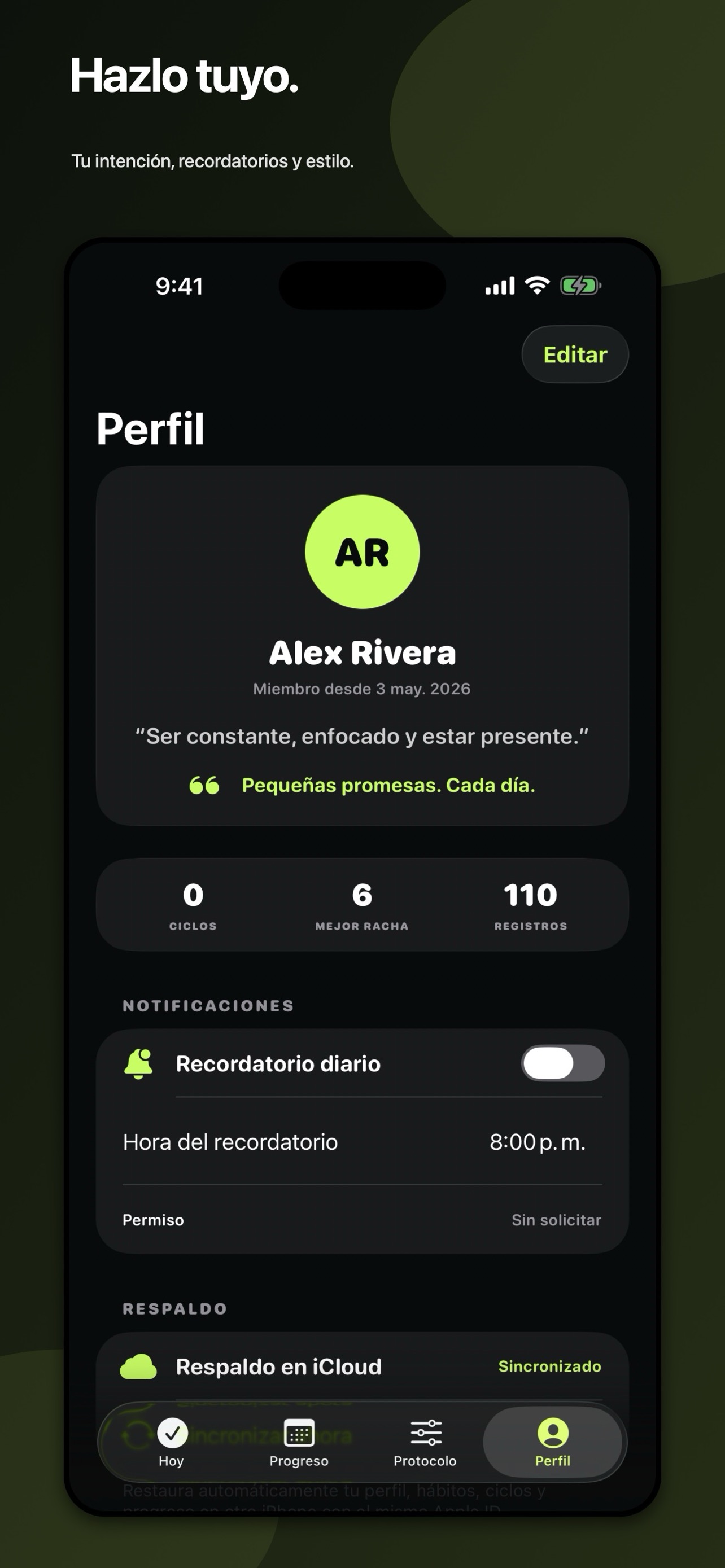
Set protocols, reminders, a personal intention, and a palette that feels like you.
Every screen is designed to make progress feel clear—not performative.
“Discipline is choosing between what you want now and what you want most.”Daily Mindset · Monk Mode
Monk Mode is built to help you focus without turning your habits into someone else’s data.
Your habits, check-ins, optional profile and reminder preferences remain on your iPhone and, when available, in your private iCloud storage. Fizz Software does not operate a server that receives or accesses this information.
Monk Mode is a personal productivity and habit-tracking tool. It is not medical, mental-health, legal, financial, or emergency advice. By downloading or using it, you agree to use it lawfully and in accordance with Apple’s applicable terms.
The app is provided “as is” and “as available” to the extent permitted by law. We may update these terms when needed, with the date on this page updated accordingly.
For a reminder, widget, iCloud, profile, or data-deletion question, include your app version, iOS version, iPhone model, and a short description. Please don’t include sensitive information or profile photos.
Open supportNo. The app works without a Monk Mode account. Creating a profile is optional.
Touch and hold your Home Screen, choose Edit → Add Widget, search for Monk Mode, then choose the widget that fits your day.
Use the same Apple ID across your devices, then choose Sync now in Profile when iCloud is available.
Open Profile → Data & Privacy → Delete all my data. This removes local, widget, reminder, and private iCloud backup data.